Introduction - Organization
For the needs of the CERN users
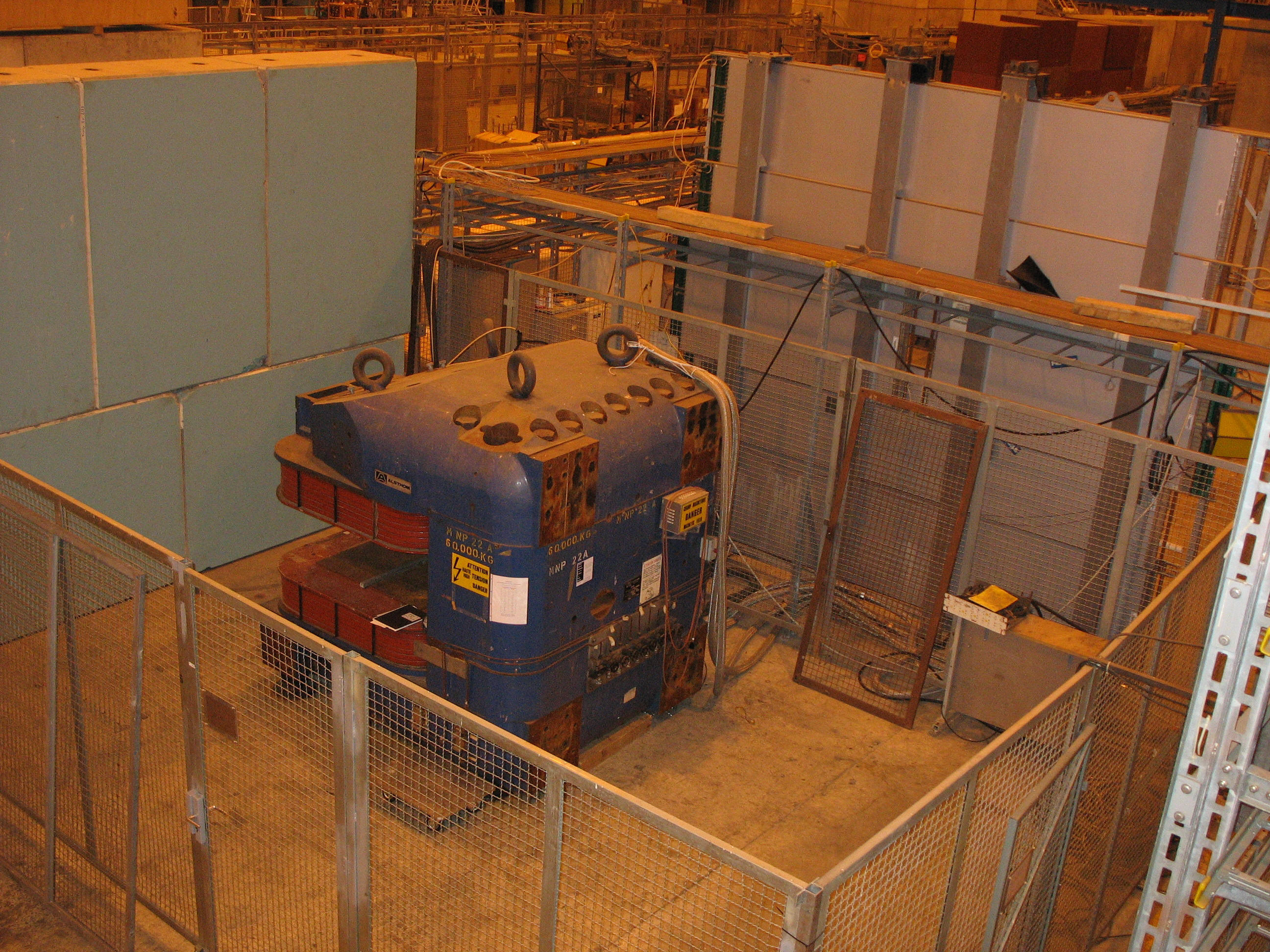
to test LHC equipment under magnetic field a facility with a large dipole magnet was created in the North Area Experimental Hall (EHN1). The
large dipole magnet, called MNP22, is located at the Salève side in the EHN1 hall
(building 887) at next to the begining of the H8 beam line.
Organization
To coordinate the activities,
requests for the use of the facility, the installation, and technical
support for the facility is under responsibility of EN-MEF-LE section.
For questions about the magnet (control) you can contact
Bastien
Rae (mobile: 167388).
Points to remember:
-
During
their tests, the users are responsible for their security in the
dedicated area. The different apparatus used must follow the electrical
safety instructions (e.g.: high voltage, grounded correctly, etc...).
Depending on the size and nature of the tests a safety inspection may be
needed before. In case of doubts please contact
Christopher Griggs (tel:
73314, mobile: 163948, dso.ph@cern.ch) , the DSO of the PH Dept. or the
TSO of the EHN1
building Mickael Jeckel.
-
It's very
important that you maintain the area clean in particular at the end of
your tests. Material that will be left there, in particularly
unidentified, risk to be thrown away without notice.
-
It is not guaranteed that the
magnet will be operational during the accelerator shutdown (typically
November to March each year). This because the magnet needs the cooling
water to operate and consumes quite some current so it may be switched
off during critical days. It is a good practice in case of doubts to
contact the technical responsible for the facility.
Area Layout
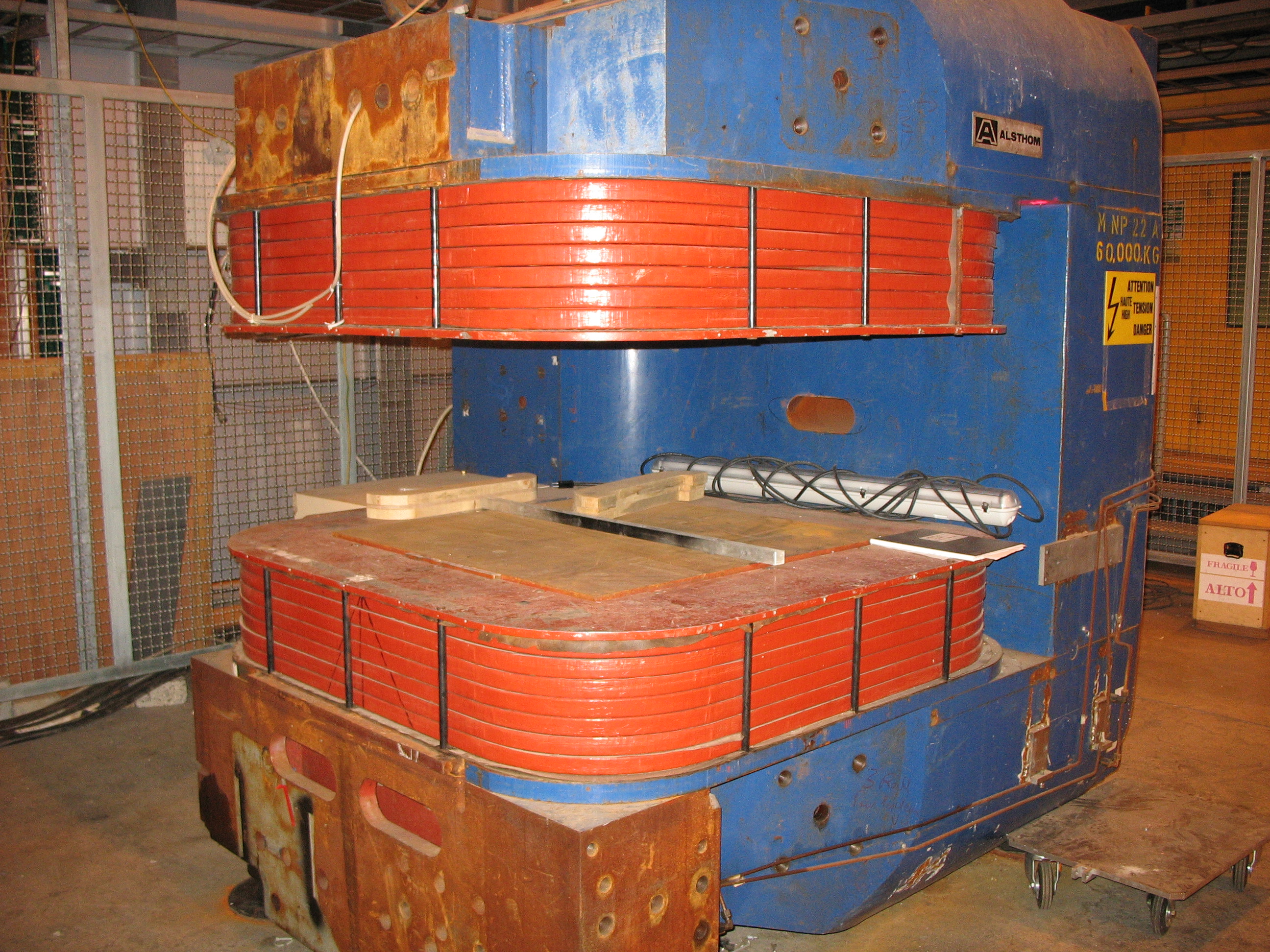
In the photos below the magnet are shown. The magnet has a large aperture
of 500mm (to be verified). The magnet can be operated by a dedicated
terminal CWO-HNA184-MNP located next to the MNP22 zone.
The magnetic field
The magnetic
field map has been measured in 2003 by the ALICE TOF group and is shown in
the figure below.
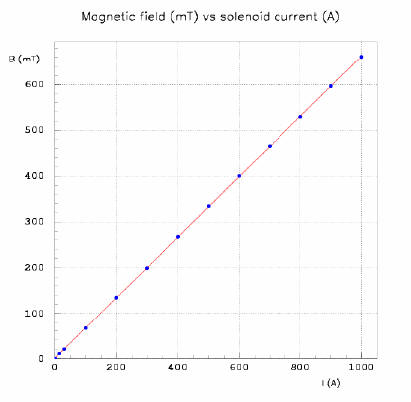 |
The magnet is powered by the power converter NR21-029.
- the maximum current is : + / - 1000 A
- Presently only DC mode is possible
|
Operational Issues
Information concerning the magnet
operation can be found below:
Setting up to start the magnet:
Before starting, the availability and well functioning of
the following systems should be verified:
-
Control system used
via the windows PC: CWO-HNA184-MNP located next to the MNP22 zone.
What needs to be done:
Login into the computer using
your NICE account. In case you
experience network problems you should
contact the CERN network support service
and ask for help or advice 77777. Launch the CESAR application
called "MNP" by either the desktop
shortcut or via Start.
-
Open the magnet window and click on
"Set Current".
-
For any problems call the
CCC (77500).
Note:
-
Because there is no automatic update, you have to
do an UPDATE STATUS after each action.
-
It takes one cycle length (of the SPS machine
which is about 20sec) before each command to the magnet is executed.
This is a feature of the system which is hard to change.
-
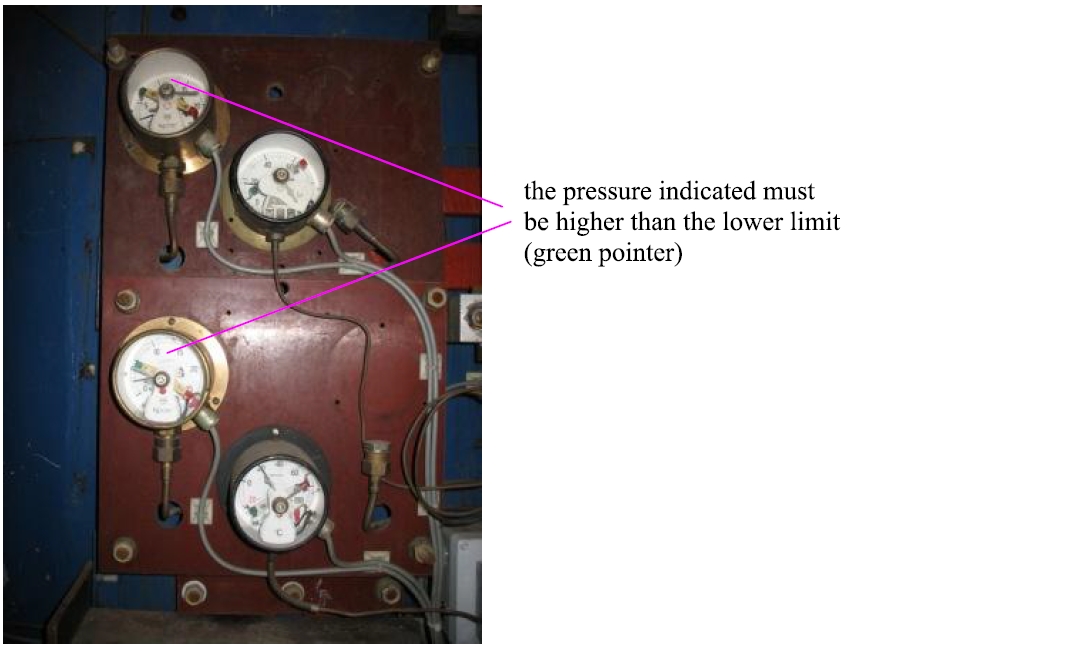
Cooling water of the magnet should be operational. This can be done:
-
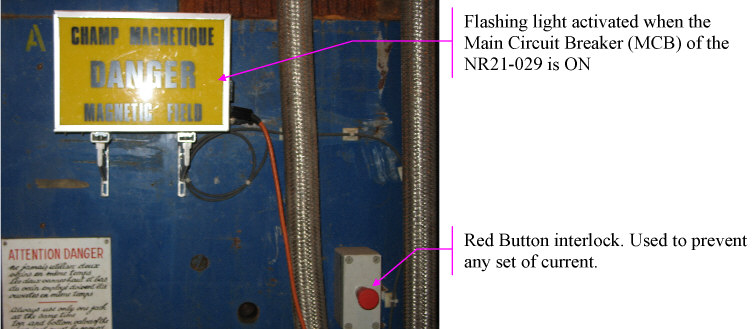
Finally, the "Red Button" installed ON the magnet itself should be in the un-locked
position. In case it is pushed, it inhibits the power converter and no
current can be set. An error in the Lab View screen is shown. If pushed,
to release it it must be turned clockwise (to be verified).
- Important info:
As mentioned above, operation of
the magnet during the shutdown is not guaranteed. There are also cases (like
critical days) where either the power supply or the cooling water circuits
are scheduled to be unavailable. Therefore, before contacting various
experts and making them loose their time Simon Mataguez should be contacted
to verify that indeed the magnet CAN be operational.
Big success and enjoy your stay at the facility!!!!
|